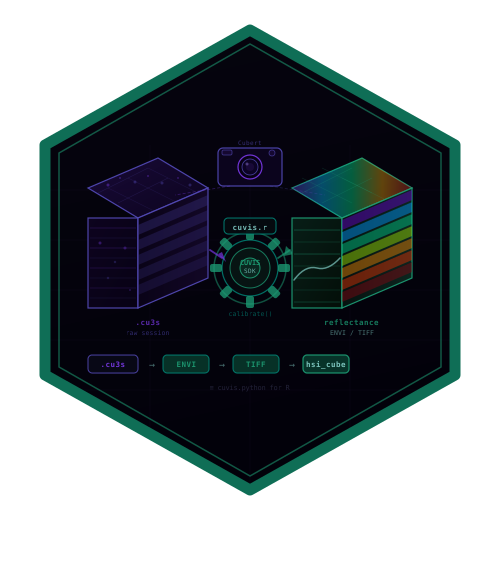

cuvis.r provides R bindings to the Cubert CUVIS SDK for reading, calibrating, and exporting hyperspectral data from Cubert cameras.
This is the R equivalent of cuvis.python.
Prerequisites
- Install a supported Cubert CUVIS SDK from the official releases. The wrapper compiles against the 3.6.1 header. The vendor currently distributes Linux and Windows runtimes; macOS supports the stub installation only. Older SDK versions require separate qualification.
- Set the
CUVIS_SDKenvironment variable to the install directory - (Optional) Download sample data from cloud.cubert-gmbh.de
Installation
# install.packages("remotes")
remotes::install_github("cttir/cuvis.r")
For source installation, R >= 4.1 and a C compiler are required (Rtools on Windows, command-line developer tools on macOS). Set CUVIS_SDK to the SDK installation root before installation; both cuvis.h and a matching library must be present. On Windows, also put the SDK’s runtime bin directory on PATH before starting R so Windows can resolve the DLL dependencies. Setting an SDK variable alone does not establish a working runtime. For package exploration without the SDK:
A stub cannot open, calibrate or export measurements. cuvis_available() checks whether the SDK was linked; it does not establish runtime or calibration readiness. For real measurements, also set CUVIS_SETTINGS to the directory containing the correct factory/user calibration and provide a valid .cu3s recording.
Initialize once per R process. Repeated initialization with the same settings is safe while the SDK remains active. After cuvis_shutdown(), restart R before using the SDK again; do not unload/reload the package to restart it. Run the following examples in separate R sessions, or postpone shutdown until the whole batch is finished.
Exports now require a new or empty directory by default. Use overwrite = TRUE only to permit replacement deliberately. This changes the previous overwrite behavior. Successful export waits for the SDK flush and releases the exporter; flush errors propagate to the caller. Directory paths longer than the SDK’s 255-byte limit are rejected. Use plain paths: SDK 3.6.1 lists special characters in export paths as a known vendor limitation. Do not use the same output directory concurrently.
Quick Start
library(cuvis.r)

cuvis_init()

# Load a session file
session <- cuvis_session("path/to/measurement.cu3s")
print(session)

# Extract the data cube
mesu <- cuvis_get_measurement(session, 1)
ctx <- cuvis_processing_context(session)
cuvis_reprocess(ctx, mesu, mode = "raw")
cube <- cuvis_get_cube(mesu)
dim(cube)                        # [rows, cols, bands]
attr(cube, "wavelengths")        # wavelengths in nm

# Calibrate to reflectance
cuvis_reprocess(ctx, mesu, mode = "reflectance")
ref_cube <- cuvis_get_cube(mesu)

# Export to ENVI
cuvis_export_envi(mesu, "output/")

cuvis_shutdown()
Full Calibration Workflow
cuvis_init()

session <- cuvis_session("measurement.cu3s")
mesu <- cuvis_get_measurement(session, 1)

# Load separate dark/white reference files
dark_session <- cuvis_session("dark.cu3s")
white_session <- cuvis_session("white.cu3s")

ctx <- cuvis_processing_context(session)
cuvis_set_reference(ctx, cuvis_get_measurement(dark_session, 1), "dark")
cuvis_set_reference(ctx, cuvis_get_measurement(white_session, 1), "white")

cuvis_reprocess(ctx, mesu, mode = "reflectance")
ref_cube <- cuvis_get_cube(mesu)

cuvis_shutdown()
API Reference
| Function | Description |
|---|---|
cuvis_init() |
Initialize the CUVIS SDK |
cuvis_shutdown() |
Release SDK resources |
cuvis_available() |
Check if SDK is linked |
cuvis_session(path) |
Load a .cu3s session file |
cuvis_get_measurement(session, i) |
Extract measurement by index |
cuvis_get_metadata(mesu) |
Get measurement metadata |
cuvis_get_cube(mesu) |
Extract 3D data array |
cuvis_get_wavelengths(mesu) |
Get wavelength vector |
cuvis_processing_context(session) |
Create calibration context |
cuvis_set_reference(ctx, mesu, type) |
Set dark/white reference |
cuvis_reprocess(ctx, mesu, mode) |
Reprocess to target level |
cuvis_export_envi(mesu, dir) |
Export to ENVI format |
cuvis_export_tiff(mesu, dir) |
Export to TIFF format |
cuvis_export_session(mesu, dir) |
Export to .cu3s format |
Integration with hyperspectR
cuvis.r is designed as the I/O backend for hyperspectR:
library(hyperspectR)

# hyperspectR uses cuvis.r internally for .cu3s files
cube <- hs_read_cubert("measurement.cu3s")Citation
If you use this software, please cite it as:
Heller, R. (2026). cuvis.r: R bindings for the Cubert CUVIS hyperspectral SDK [Computer software]. https://github.com/CTTIR/cuvis.r
The Zenodo metadata is a draft; no published DOI is claimed.
Use of LLM tools
Where applicable, LLM tools were used for narrowly defined, non-authorial tasks: copyediting, prose refinement, Markdown/LaTeX formatting, boilerplate scaffolding (such as CI configurations and build scripts), and code refactoring. Tools included Chat AI, the KISSKI (GWDG) service, and self-hosted Mistral Small (24B, Apache-2.0) served through a local vLLM architecture on an Ubuntu Linux workstation with Intel processors and NVIDIA GPUs. Self-hosted use also includes models that were further trained (fine-tuned) or weight-edited in-house for specific tasks. All self-hosted models ran locally, with no data sent to third parties.
All scientific claims, methodological choices, analyses, interpretations and conclusions remain the authors’ own. Where applicable, LLM-generated material must be reviewed and revised before inclusion, and references must be verified against their DOI, arXiv ID or ISBN.
Local software setup: vLLM with Python/PyTorch, plus R and RStudio.
Branding
Editable R sources and regeneration instructions are in tools/branding.
Developer validation
python3 tools/test-configure.py
python3 tools/test-native.py /path/to/vendor/cuvis.h
CUVIS_STUB=1 R CMD build .
CUVIS_STUB=1 R CMD check --as-cran cuvis.r_0.2.0.tar.gz
The native fixture checks memory layout, malformed buffers, lifecycle and export arguments with synthetic SDK responses. It does not validate vendor calibration, real files, runtime linking, or camera operation. See MAINTENANCE.md for the release gates and observed evidence.